Every robot in our database uses a 14.4 V lithium-ion pack (2,600–6,400 mAh). The chemistry is identical to your smartphone, and so are the physics: thermal stress and full-depth discharges are what destroy battery capacity. Adopt these five simple habits to double your pack lifespan.
Interactive Symptom Path Finder
Select what your vacuum is doing right now to jump straight to the exact step:
Always Leave the Robot Docked
Key Action: Maintain battery trickle management
Modern charging docks stop charging at 100% and switch to low-amperage monitoring. Storing a robot off the dock lets the pack self-discharge into a damaging deep-sleep state within a few months.
Action Checklist:
- Keep the base station powered on 24/7.
- If the robot docks, leave it docked until the next scheduled clean.
- Never unplug the dock between runs to "save electricity"—the phantom drain hurts the lithium cells more than the few pennies saved.
Modern battery management systems (BMS) have smart float logic that completely prevents overcharging.
Keep the Dock in a Cool, Shaded Location
Key Action: Prevent thermal degradation of lithium cells
Heat is the number one cause of premature lithium-ion aging. Placing a dock next to a heating radiator or in a sunny conservatory where temperatures reach 35 °C can cut battery life in half.
Action Checklist:
- Position your dock away from baseboard heaters, HVAC vents, and sunny windows.
- Ensure the base has at least 10 cm of breathing room around its charging tower.
- Room temperatures between 18 °C and 22 °C are ideal for maximum battery longevity.
If the bottom battery compartment of your robot ever feels hot to the touch (over 45 °C) after charging, immediately unplug the dock and inspect the battery for swelling.
Schedule Frequent, Shorter Daily Runs
Key Action: Favor shallow discharge cycles over marathon sessions
Lithium cells experience the least chemical degradation when operated in shallow cycles (e.g. discharging from 100% to 65% and recharging) compared to deep discharges (100% down to 5%).
Action Checklist:
- Split your whole-home cleaning schedule across alternating days or morning/evening passes.
- Allow the robot to recharge back to full between separate cleaning zones.
- A 45-minute daily maintenance cycle is vastly gentler on cells than a single 180-minute weekend marathon.
Reserve Max Suction for Area Rugs Only
Key Action: Reduce continuous high current draw
Running on maximum suction draws peak current from the battery cells, generating internal heat that accelerates electrolyte breakdown. Hardwood and tile floors rarely need Max mode.
Action Checklist:
- Use Standard or Quiet suction mode for hard floors and daily dust maintenance.
- Enable "Carpet Boost" in your app so maximum suction only kicks on when the robot physically detects rugs.
Prepare Correctly for Extended Storage (30+ Days)
Key Action: Store at 50% state-of-charge in cool conditions
Going away for the summer or putting a backup robot in a closet? Storing a lithium pack at 100% or 0% causes permanent capacity loss.
Action Checklist:
- Charge the robot to approximately 50% battery level.
- Hold the physical power button down to shut the robot completely off.
- Store in a cool, dry room at room temperature, and recharge before putting back into service.
Replace the Battery Pack ($25–$50)
Key Action: Swap the internal pack when runtime drops below 30 minutes
After 3 to 5 years of daily use, all lithium packs eventually degrade. Fortunately, swapping the battery is a 5-minute repair requiring only a screwdriver.
Action Checklist:
- Unscrew the underside battery door (usually 2 to 4 screws).
- Disconnect the color-coded quick-release wiring clip.
- Insert the fresh OEM or certified pack, reconnect the clip, and charge fully before first use.
Buy authentic OEM or certified cells from reputable suppliers. Cheap unbranded knockoffs frequently lack proper thermal protection circuits and misreport battery percentage.
| Robot | Rated runtime | Battery Capacity | Ease of Replacement |
|---|---|---|---|
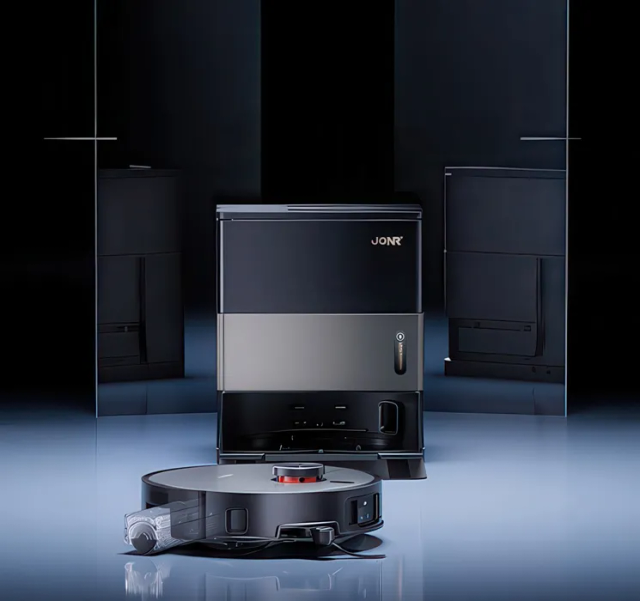
| JONR X9 Pro | 150 min | 5,200 mAh | Underside screwed door (4 min) |
| Dreame L20 Ultra | 260 min | 6,400 mAh | Modular base panel (5 min) |
| Roborock Q5 Pro | 240 min | 5,200 mAh | Bottom cover swap (5 min) |
| Roomba Combo j9+ | 120 min | Lithium-ion Pack | 2 Phillips screws (3 min) |
FAQ Troubleshooting Answers
Frequently Asked Questions
How long does a robot vacuum battery last?
Two to three years with aggressive deep-discharge habits, but easily five or more years with shallow daily runs and keeping the dock out of direct heat.
Can I leave my robot vacuum plugged in all the time?
Yes, absolutely. The internal battery management system (BMS) automatically stops current draw when the pack reaches 100%.
Is It Time to Upgrade Instead of Repair?
If your vacuum cleaner is more than 5 years old, has recurrent motor loss, or replacement parts exceed 40% of its value, modern replacements deliver dramatically higher suction, tangle-free brushrolls, and sealed HEPA filtration.