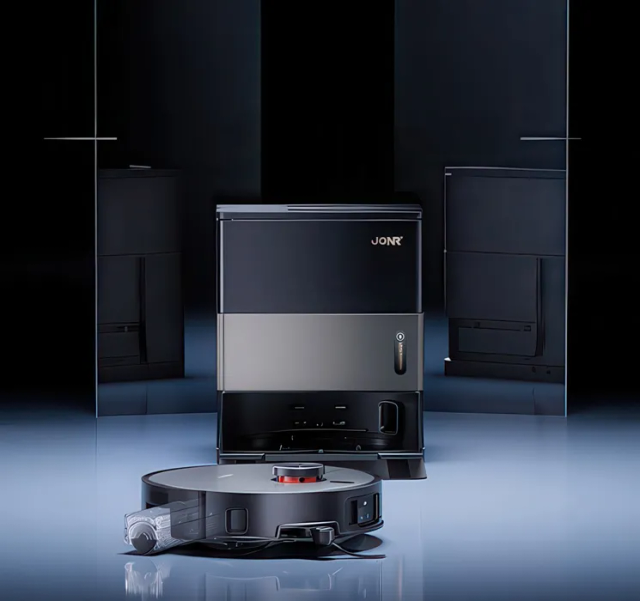
Auto-empty docks work by generating an intense vortex of negative pressure through the robot's internal dustbin for 10–15 seconds. If any rubber gasket leaks, a single flap sticks open, or fine drywall dust chokes the bag pores, airflow drops to near zero and the dirt stays trapped inside the robot. Here is how to restore maximum suction.
Interactive Symptom Path Finder
Select what your vacuum is doing right now to jump straight to the exact step:
Replace or Reseat the Dust Bag Immediately
Key Action: Clear clogged bag micro-pores that choke vacuum airflow
Dust bag sensors measure motor backpressure, not physical weight. Fine dust, pet dander, and talc coat the inner fabric lining long before the bag looks physically full, dropping suction to zero.
Action Checklist:
- Open the dock lid and check that the cardboard/plastic bag collar is clicked fully into its guide rails.
- If you have vacuumed flour, fireplace ash, or construction dust, discard the bag immediately even if it feels half-empty.
A bag full of pet hair might look 50% full, but dander forms an airtight seal over the fabric weave. Try a fresh bag to test airflow.
Inspect the Robot's Underside Bin Flap
Key Action: Ensure the rubber one-way evacuation flap snaps shut
Turn the robot over. On the underside, you will see one or two spring-loaded rubber trapdoors. Debris must be sucked through these doors. Hair or toothpicks wedged in the hinge keep them open, killing suction.
Action Checklist:
- Push the rubber flap inward with your finger—it should spring back and seal tightly against its frame.
- Remove any hair wrapped around the hinge pins with tweezers.
Clean the Dock Intake Port Rubber Gasket
Key Action: Ensure an airtight vacuum seal between robot and dock
The rubber seal encircling the dock intake port collects dust, pet hair, and grit. Over time, this creates tiny air channels that allow suction to leak out the sides rather than pulling through the robot.
Action Checklist:
- Wipe the flexible rubber gasket on the base ramp with a damp microfibre cloth.
- Ensure the rubber hasn't torn or folded inward.
Ensure the charging contacts next to the intake port are completely dry before allowing the robot to dock.
Tap Out or Wash the Dock's Internal Motor Filter
Key Action: Unclog the secondary intake filter underneath the dust bag
Underneath or behind the dust bag housing, every auto-empty dock contains a secondary foam or pleated motor filter to protect the high-power turbine.
Action Checklist:
- Lift out the dust bag and locate the grill at the bottom of the bay.
- Remove the foam filter, tap it outside over a bin, or rinse it under cold tap water.
- If washed, let it dry for a full 24 hours before reinstalling.
Clean the Robot's Internal HEPA Filter
Key Action: Allow intake air to flow into the bin during evacuation
For the dock to pull air OUT of the robot, replacement air must enter through the robot's onboard filter. A completely clogged internal filter creates a vacuum lock.
Action Checklist:
- Open the robot lid, pull out the onboard dustbin, and remove the filter.
- Tap it firmly against the inside of your trash can to dislodge fine dust.
Check Dock Ramp Alignment & Charging Contacts
Key Action: Ensure the robot docks 100% square with intake ports
If your robot docks even 3 degrees crooked, the evacuation port will not align with the dock chute, destroying the vacuum seal.
Action Checklist:
- Clean the metallic charging contacts with a dry microfibre cloth.
- Ensure the base station is level and not rocking on uneven floor tiles.
FAQ Troubleshooting Answers
Frequently Asked Questions
How often should an auto-empty dock run?
After every single cleaning session by default. In homes with heavy-shedding dogs or multiple cats, configure your app to empty twice per run (e.g. after every 30 minutes of cleaning) so the robot's small onboard dustbin never overpacks.
Why is the dock motor running but nothing gets pulled out?
Almost always a full/clogged dust bag, a stuck rubber flap on the robot underside, or an obstruction in the transparent floor chute beneath the dock ramp.
Is It Time to Upgrade Instead of Repair?
If your vacuum cleaner is more than 5 years old, has recurrent motor loss, or replacement parts exceed 40% of its value, modern replacements deliver dramatically higher suction, tangle-free brushrolls, and sealed HEPA filtration.