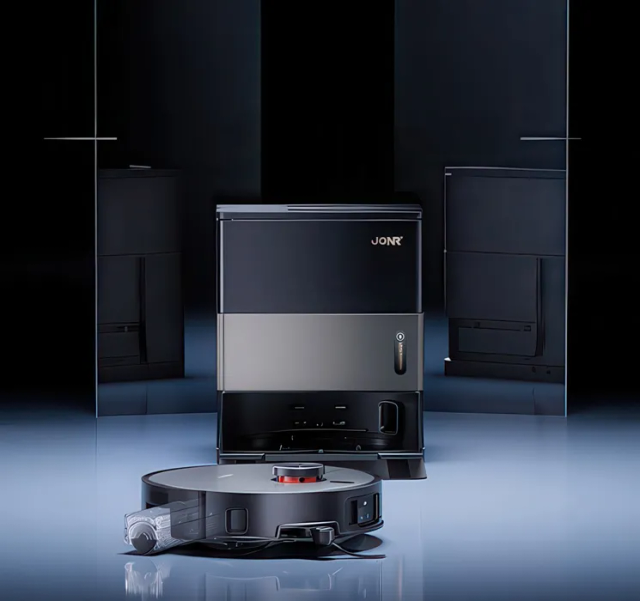
The spinning turret on top of your LiDAR robot fires an invisible laser, many times a second, to map your home. When that turret gets jammed with pet hair, blinded by sunlight, or blinded by dust, your robot goes into defensive halt mode. Don't panic—over 90% of LiDAR errors are fixed in under 15 minutes without buying a new robot or mailing it to a service center.
Interactive Symptom Path Finder
Select what your vacuum is doing right now to jump straight to the exact step:
Perform a Hard Controller Power-Cycle
Key Action: Cut power completely to flush frozen microcontroller memory
Don't panic—this rarely means the sensor is fried. When a robot vacuum hits a momentary snag or optical reflection, the LiDAR controller can latch into a safety fault state. Simply docking the robot will not reboot this sub-processor; you must perform a complete cold reboot.
Action Checklist:
- Lift the robot off its charging dock and place it on open, flat flooring.
- Press and hold the physical Power button for 5 full seconds until all LED indicator lights turn completely dark.
- Leave the robot powered off for 30 seconds to allow the internal motherboard capacitors to discharge.
- Press and hold the Power button again until you hear the power-on chime, then test a quick spot clean.
The timing must be exact! Do not just tap the button or press the dock button, or the motherboard will stay in low-power standby rather than executing a hard reboot.
Clean the Optical Turret Windows
Key Action: Polish the transmitter and receiver lenses with dry microfibre
Inside the rotating turret, two optical lenses emit and detect invisible infrared light pulses. Fine household dust, cooking aerosol films, or mist from room humidifiers coat this window and scatter the beam, causing false obstruction alarms.
Action Checklist:
- Take a dry, clean microfibre cloth (never use paper towels, which scratch optical plastic).
- Gently wipe the dark tinted perimeter band around the turret while slowly rotating the housing with your finger.
- Shine a phone flashlight inside the window openings to verify that both inner diode lenses are spotless.
Never spray liquid glass cleaners, water, or isopropyl alcohol directly into the turret openings. Liquid instantly wicks down the central axle into the precision ball bearing, dissolving the factory lubricant and permanently ruining the sensor.
Inspect and Spin the Turret Bearing by Hand
Key Action: Check for physical drag, hair wraps, and bearing grit
The turret should glide effortlessly with a single light flick of your finger. If it stops abruptly, grinds, or wobbles, pet hair has wound around the central brass drive spindle underneath.
Action Checklist:
- Gently rotate the turret using one finger—it should coast smoothly with zero mechanical resistance.
- Use a pair of fine tweezers to inspect the 1 mm gap beneath the turret skirt.
- Pull out any tangled pet hair or carpet strands caught around the brass axle.
- Hold a can of compressed air 20 cm away and blow short bursts around the seam while rotating the turret.
Keep compressed air cans strictly upright! Tilting the can sprays freezing liquid propellant, which can thermal-shock and crack delicate optical lenses.
Free the Turret Guard Micro-Bumper
Key Action: Unjam the top cover collision sensor
Most modern LiDAR turrets (Roborock, Dreame, Ecovacs) have a floating top lid with an integrated microswitch to detect when the vacuum gets stuck under low furniture. If a stray cheerio, toy piece, or grit wedges under this cap, the robot triggers an LDS safety halt.
Action Checklist:
- Gently tap the top plastic cap of the turret at all four quadrant corners.
- You should feel a springy mechanical give and hear a crisp microswitch "click".
- If any corner feels spongy, depressed, or stuck down, gently lift upward to release trapped debris.
Eliminate Infrared Glare & Direct Sunlight
Key Action: Move the dock out of intense light washouts
LiDAR operates on the 780–905 nm infrared spectrum. Direct, intense afternoon sunlight streaming through low windows can completely blind the sensitive photodiode receiver, causing the robot to think the sensor is physically blocked.
Action Checklist:
- Check if your errors consistently occur at specific afternoon hours or in one bright room.
- Move the base station at least 2 metres away from floor-to-ceiling sunny windows.
- Check for full-length mirrors or polished chrome baseboards at turret height (8–10 cm).
If your vacuum only fails in the living room at 3 PM, draw the sheer curtains or schedule that room's cleaning run for the morning.
Flush Corrupt Map Cache and Rebuild
Key Action: Clear split rooms and phantom walls from app memory
Sometimes the LiDAR hardware is 100% healthy, but the robot's stored spatial point cloud has suffered memory corruption after a wheel slip or moved furniture. Trying to force the robot to clean on a corrupted map results in phantom obstacle errors.
Action Checklist:
- Open your robot's mobile companion app (Roborock, Mi Home, Dreamehome, etc.).
- Navigate to Map Management and select your current floor plan.
- Backup your custom no-go zones if needed, then tap "Delete Map" or "Quick Map Rebuild".
- Place the robot on the dock and launch a Quick Mapping run without cleaning.
Replace the Modular LiDAR Unit ($30–$55)
Key Action: Install a drop-in replacement sensor or drive belt
If you hear a high-pitched whine or the turret refuses to turn after cleaning, the tiny rubber drive o-ring or 5V brushless motor has reached end-of-life. Good news: you do NOT need to buy a new $800 robot.
Action Checklist:
- OEM-spec replacement LiDAR modules are readily available on Amazon and AliExpress for $30–$55.
- Unscrew the top vanity cover (usually 4 to 6 small Phillips screws).
- Unplug the single ribbon connector and lift the defective turret out.
- Drop the new module in, reconnect the ribbon, and tighten the four mounting screws.
Often, only the tiny $3 orange rubber drive belt has snapped! If the motor hums but the turret doesn't move, open the turret shell and inspect the belt before replacing the whole motor unit.
| Brand | Code / message | Most common cause |
|---|---|---|
| Roborock | Error 1 — Laser distance sensor error | Turret blocked or bearing jammed with pet hair |
| Dreame | Error 6 / LDS error | Dirty optical window or direct sunlight glare |
| JONR | E03 — LiDAR blocked | Hair in bearing or stuck turret bumper |
| Ecovacs | Error 103 — LDS malfunction | Turret guard bumper stuck or drive belt loose |
| Eufy | Laser sensor covered | Dust on window or high-contrast reflection |
FAQ Troubleshooting Answers
Frequently Asked Questions
Can I replace a robot vacuum LiDAR sensor myself?
Yes! On Roborock, Dreame, JONR, and Ecovacs robots the module is held by four Phillips screws under the top vanity cover and connects with a single quick-release ribbon cable. The entire swap takes under 10 minutes.
Why does my robot vacuum say LiDAR blocked in one room only?
Almost always sunlight glare or a floor-level mirror at turret height (8–10 cm). Both saturate or reflect the infrared beam back into the receiver, triggering a false obstacle alarm.
Is It Time to Upgrade Instead of Repair?
If your vacuum cleaner is more than 5 years old, has recurrent motor loss, or replacement parts exceed 40% of its value, modern replacements deliver dramatically higher suction, tangle-free brushrolls, and sealed HEPA filtration.