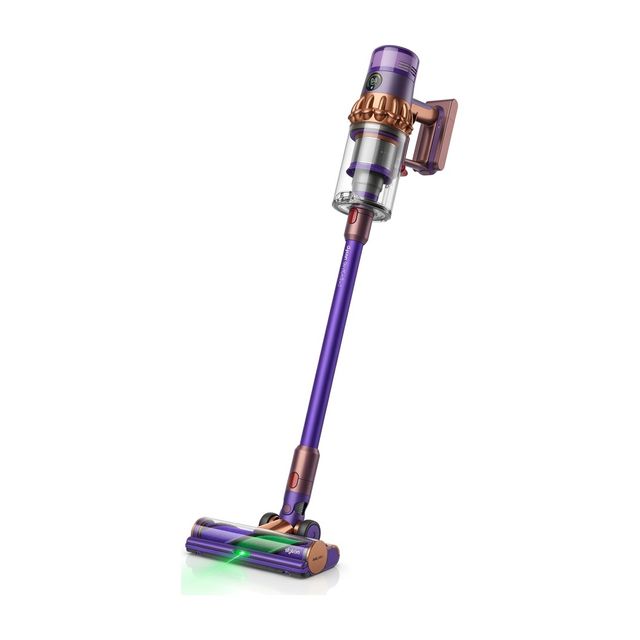
Pulsing means the motor cuts in and out in a steady rhythm instead of running smoothly. On many cordless vacuums it is how the machine signals that air cannot move through it freely, so the fix is usually cleaning rather than repair. These are general checks of the kind found in manufacturers' manuals; follow your own manual for how to remove and clean each part.
Interactive Symptom Path Finder
Select what your vacuum is doing right now to jump straight to the exact step:
Empty the Bin and Clear the Shroud
Key Action: Remove the simplest airflow restriction
A bin filled to or past its maximum line leaves no room for air to circulate. Dust and hair also cling to the mesh shroud inside the bin and block it even after the bin is emptied.
Action Checklist:
- Switch the vacuum off and empty the bin.
- Wipe or brush away dust and hair caught on the mesh or shroud inside the bin.
- Close the bin fully so it latches.
Clean the Filter and Let It Dry Completely
Key Action: Restore airflow through the filter
A filter loaded with fine dust is one of the most common reasons for pulsing. A filter refitted while still damp restricts air in the same way and can let moisture reach the motor.
Action Checklist:
- Remove the filter or filters as your manual describes; some vacuums have more than one.
- If the filter is washable, rinse it the way the manual instructs. If it is not washable, tap out the dust or replace it.
- Let a washed filter dry completely, for as long as the manual states, before refitting it.
- Replace a filter that is torn, misshapen or still restricted after cleaning.
Never run the vacuum with a damp filter or with the filter removed. Moisture or unfiltered dust can damage the motor.
Check the Wand and Air Path for Blockages
Key Action: Find out which section is blocked
Working out where the blockage sits is quicker than cleaning everything. Remove one part at a time and see whether the pulsing stops.
Action Checklist:
- Run the vacuum briefly as a handheld with nothing attached. If it runs smoothly, the blockage is in the wand or the floor head.
- Detach the wand and look through it toward a light.
- Push out anything lodged inside with a blunt rod; avoid sharp tools that could damage the tube.
- Check the inlet where the wand or tools attach to the main body.
Clear the Floor Head and Brush Roll
Key Action: Remove hair and packed debris at the intake
Hair wound around the brush roll and debris packed into the narrow neck of the floor head both choke the airflow before it reaches the wand.
Action Checklist:
- Switch off and detach the floor head.
- Remove the brush roll as your manual describes and cut away wrapped hair, taking care not to cut the bristles.
- Clear the opening and the neck of the floor head, then refit the brush roll.
Check That Every Part Is Seated and Sealed
Key Action: Rule out an assembly problem
If the pulsing started after cleaning, something may not be fitted correctly. A filter that is not locked in place or a bin that is not fully closed can disturb the airflow, and some vacuums will not run properly until every part is seated.
Action Checklist:
- Refit the filter and turn or press it until it locks, as your manual shows.
- Check that the bin, wand and floor head each click into place.
- Look for a seal that has been pinched or has come out of its groove.
Charge Fully, Try a Lower Mode, Then Contact the Maker
Key Action: Separate a battery issue from an airflow issue
The highest power mode asks the most of both the airflow and the battery, so a problem often shows up there first. If the airway is clear and the vacuum still pulses on a full charge, the cause may be the battery or the motor electronics.
Action Checklist:
- Charge the vacuum fully, then test it on its lowest power mode and again on its highest.
- Note whether any indicator light or display message appears, and look it up in your manual.
- If pulsing continues with a clean filter, a clear airway and a full charge, contact the manufacturer's support team.
Do not open the battery pack or the motor housing. For a battery that will not hold charge, gets unusually hot or looks swollen, stop using the vacuum and contact the manufacturer.
| When it pulses | Likely cause | First check |
|---|---|---|
| With a full bin | Bin or shroud blocked | Empty the bin and clear the mesh |
| After washing the filter | Filter damp or not locked in | Dry fully and reseat the filter |
| Only with the wand or head attached | Blockage in wand or floor head | Look through the wand and clear the head |
| Only on the highest mode | Partial blockage or low battery | Clean the air path, then charge fully |
| With a clear airway and full charge | Battery or motor electronics | Contact the manufacturer |
FAQ Troubleshooting Answers
Frequently Asked Questions
Is a pulsing cordless vacuum broken?
Usually not. On many cordless vacuums pulsing is a deliberate signal that airflow is restricted, and it stops once the bin, filter and air path are clear. Treat it as a fault only if it continues after those checks and a full charge.
Why does my vacuum pulse right after I washed the filter?
The filter is probably still damp or is not locked back in place. Take it out, let it dry completely for as long as your manual states, and refit it so it locks. Do not run the vacuum with a damp filter.
Why does my cordless vacuum only pulse on the highest power mode?
The highest mode needs the most airflow and the most battery power, so a partial blockage or a low charge shows up there first. Clean the filter, clear the air path and charge fully. If it still pulses, contact the manufacturer.
Is It Time to Upgrade Instead of Repair?
If your vacuum cleaner is more than 5 years old, has recurrent motor loss, or replacement parts exceed 40% of its value, modern replacements deliver dramatically higher suction, tangle-free brushrolls, and sealed HEPA filtration.